android

A Long-Time Apple Nerd’s Review of the Galaxy Nexus and First Experience With Android

To those who want to use Android, I say go for it. I don’t think that choice is wrong — there are many fine things about the Android OS and many things it does differently and better than iOS. I can understand how tech-savvy power-users who know what they are getting into would like Android. For them, the trade-offs in certain areas are a welcome sacrifice in exchange for the customizability, the different look, and the plethora of hardware devices to choose from.

via A Long-Time Apple Nerd’s Review of the Galaxy Nexus and First Experience With Android — Shawn Blanc.

And that, ladies and gentlemen, is Android summed up. It’s not that I wouldn’t recommend an Android phone to your mum or dad, it’s just that I wouldn’t recommend an Android phone to your mum or dad.

For those that actually like the appeal of Android, by all means, you’re more than welcome to. Hell, even I like certain aspects about Android, but that doesn’t make it the comparative “best”.

Qualifiers such as “are they buying based solely on price?” aren’t even all that relevant to buying an Android phone, as a second-hand 3GS or similar might be more suitable instead. I’d think long and hard before recommending an Android phone to anyone.

One other thing: I’m super glad I don’t work in a telco store that sells Android alongside the iPhone, because I doubt I’d be able to “sell” Android phones based on one feature alone. I mean, Google integration, absolutely. But iOS has that in iCloud. IOS is comparatively easier to sell; do your friends have iPhones? Boom, free messages between you and them. That feature alone could sell a customer, never mind an app for anything you could poke a stick at.

My Dinner With Android – Who is any of this good for?

…comparing Android to iOS in any meaningful way is nearly impossible. You can contrast the two, but comparisons are difficult to make. What you see is what you get with iOS. With Android, the device-to-device experience is so varied it’s staggering.

via My Dinner With Android – Who is any of this good for?.

Why My Mom Bought an Android, Returned It, and Got an iPhone | Betabeat — News, gossip and intel from Silicon Alley 2.0.

A friend of mine has a Nexus S and it is a pleasure to use. The UI is elegant and functional. The battery lasts for days. In short, it is everything that the Charge wasn’t. I’d love to see Google somehow mandate the stock Android experience on all phones, or somehow rigorously test all new phones before they could be launched. Why not standardize and mandate one or two excellent cameras, and then open source the drivers? Why not certify and approve a few of the best components and then place some sort of “premium Android experience” certification label on phones that pass tests and use components approved by Google? Right now it’s a crapshoot out there when you want a new Android phone, and it doesn’t seem to be getting any better.

via Why My Mom Bought an Android, Returned It, and Got an iPhone | Betabeat — News, gossip and intel from Silicon Alley 2.0..

It’s not that Android can’t be good — it can, and it definitely is in some areas — it’s just that it’s let down by certain handsets, certain experiences which tarnish the whole thing.

It’s this kind of inconsistency, kids.

My Dinner With Android – Four months with Android: reflections, grievances and some tenuous metaphors bundled up into a weighty tome

Putting things in perspective, Android is not the worst thing in the world. It works as advertised. You can use it to get things done. It has some neat features. The fact that it exists illustrates what an amazing era we live in. I simply won’t be using it going forward. Though I will check out Ice Cream Sandwich. But I’ve taken the time to give it a shot, and my opinion is that Android pales in comparison to iOS. This is probably more than what most of the fanboys from both sides of the fence have done.

It just isn’t as good as iOS to me. Some of it I can explain, some of it is just strange subtleties that add up to an unenjoyable, uninviting experience. But even now, after being back on iOS for a week, going back to use Android feels completely foreign, as if the previous four months never existed. I have no explanation for this other than iOS just works better for me. Maybe Android works better for some of you. I really can’t say.

via My Dinner With Android – Four months with Android: reflections, grievances and some tenuous metaphors bundled up into a weighty tome.

Android Addendum, Part II

Blogtober 11 catch-up, part V

When I went to Melbourne a few months ago I was faced with a bit of a dilemma. One of the most enjoyable dilemmas I’ve had to face, but a dilemma nonetheless.

You see, it was right around the time I was experimenting with various smartphone platforms, and it just so happened that I had all four smartphones at that time — the Dell Venue Pro, the HTC 7 Mozart, a Samsung Nexus S, and of course, my trusty iPhone 4.

The only problem was that I didn’t know which phone to take. Like I said, a pretty enjoyable dilemma.

On one hand, I needed something that would serve me well. Something that I was already familiar with — and that meant my iPhone 4, capable of pretty much anything I wanted to throw at it.

On the other hand, there wouldn’t be a better test case for how well Android would hold up in an unfamiliar city, in unfamiliar surroundings, where a few seconds could make all the difference in the world.

I was pretty sure I wasn’t going to take the any of the WP7 phones — as this was pre-Mango, I didn’t think they were quite at the level I wanted them to be for every-day use.

For the record, I ended up bringing both my iPhone 4 and my Nexus S. I used the Nexus S as my primary phone, but my iPhone 4 was always waiting for me in my other pocket, or in my bag.

And you know what? The Nexus S wasn’t too bad, with perhaps one issue: the GPS was incredibly, incredibly slow to get a solid lock. I mean, you don’t appreciate just how fast the GPS lock is on iOS until you’ve experienced the same thing on Android. Now, I’m fully prepared to admit it might have been my particular phone and software combination — but then I ask myself, if this is the experience that Google mandates, I can only hope that other manufacturer and software combinations are much, much better.

Once it got a lock it was fine, though. The 3D navigation stuff was particularly impressive, even on foot.

Bottom line: Android isn’t bad, but I still prefer iOS.

This post part of Blogtober 2011, just a little thing of mine where I (attempt to) post something up on my blog every day in October 2011.

Android Addendum

Blogtober 2011 catch-up, part III

Because some of still couldn’t be convinced that my comparisons were good enough, this is very likely just a small response to a few points I’ve seen around the place.

Your issues are due to hardware!
Are you serious? The Nexus S is a newer phone than the iPhone 4, and if you’re actually insinuating that  the Gallery lag is attributed to hardware issues, you must be mistaken, because there’s no way. I mean, if Android doesn’t run on the phone that Google use for development, what hope is there for other phones?

I don’t have those issues with my phone!
Oh, this again? Look, I’m not made of money, I’m just an ordinary consumer trying different smartphones for kicks. I chose the Nexus S because it’s the flagship Android product — the product vetted by Google — which means that it should provide the best Android experience. TouchWiz or Sense might lead to a better experience for the end user, but that comes at the cost of other issues.

Ice Cream Sandwich will fix most of your issues!
Well, if we always waited for the next great thing to come along, then we’d probably be back in the dark ages, wouldn’t we?

I think that’s about it.

This post part of Blogtober 2011, just a little thing of mine where I (attempt to) post something up on my blog every day in October 2011.

Breakfast, Lunch, and Dinner with Android — Part Deux


In my previous post in the series, I detailed a few of the more user-facing things about Android, like app management, music syncing, and so on. In this post, I intend to talk more about some of the finer points of things like text selection, general usability, and finally wrap it up at the end with a few choice sentences about Android as a whole and how it compares to other mobile platforms. If the previous post was about a 3 (not quite computer illiterate and yet not quite your average nerd) on the Benny Ling official scale of nerdery, this post is about a 6 or a 7 (getting up there). Not to mention it’s fairly long… You have been warned!

You want to talk about fragmentation? Okay, let’s talk about fragmentation. Fragmentation isn’t an issue. Geeks like us might like to harp on the fact that everything (apps-wise) doesn’t run on, everything (hardware-wise), or that some apps are restricted to certain regions, or that different versions run on different devices, but the fact of the matter is, fragmentation isn’t an issue for most end users. I say “most”, because if you’re one of the unlucky few who has chosen either the cheapest Android phone you could find, or somehow gotten stuck with a manufacturer notorious for releasing updates very slowly, or even worse, not at all, then, then, fragmentation might be an issue. You can hardly blame Google for your fragmentation issues though, as it’s up to manufacturers to release updates for their phones, which also makes it super-easy for them to drop support in way of software updates for a particular phone. Exactly why I would only ever buy an Android phone either from the Nexus series (as you’re guaranteed software updates, it being the flagship Android phone at any given time)), or from HTC, or any of the other big players (Samsung just manages to sneak in here) — any other manufacturer is a crapshoot. I mean, sure you can put the latest ROM or whatever from XDA Developers on your Motorola Milestone, but do you really want to learn about bootloaders, custom restore images, and all that kind of stuff? Perhaps if you’re a geek, otherwise, probably not.

First seen in iOS, there’s a rather nice visual feedback effect to let you know when you have reached the end of a long list, or scrolled to the bottom of a webpage. The UI “bounces” to let you know there’s no more content, the scrollbar appears for a second to do the same, and you can go about your merry business. Android 2.3 brings a similar sort of effect, only instead of a UI bounce, you see a nice flash or orange whenever you reach the end of a scrollable section. It’s pretty nicely done — as you drag more and more away from the edge, you get more and more visual feedback (but only the very edge is tinted with orange, the rest is a semi-transparent white that builds upon the orange effect).

The funny thing is, I can only think of the Windows Phone 7 accent colour whenever I see these orange flashes. Orange is a good colour choice as it manages to stand out against pretty much everything, but it would have been nice if we had a choice of colours to choose from; I’m guessing that their particular implementation of this kinda of visual feedback means that basically any colour will be visible against the background. As it stands, the orange is used lots of other places, too — like when the spacebar can autocorrect a word for you, there’s a orange line that appears on it (more on text entry a little later), and even punctuation keys and suggested words use this orange colour. It’s not bad, but it could have been better. Read More

Don’t tell me it isn’t about the apps! (It is.)

I’m sitting here, thinking about the final touches of my ultra-mega Android wrap-up post, chilling out with Katy (Perry), and I realise, now more than ever, that it’s about the apps.

It’s always been about the apps.

Not about how many there are, or how many are fart apps, or or how many spam apps there are. None of that. It’s about the apps that you’ll use — yes, the platform matters, but the apps you’ll be using on a daily basis matter even more.

Looking back at my Android experience, not one app has been compelling enough for me to go “whoa, this is really cool!”. Not an app that I’d use daily, anyway. I mean, there’s a limit to how impressed you can be by a screenshot app, even if it is one of the best things about your Android device. Launcher Pro is great and all, but I’m relegating that to the domain of “a very nice advantage of Android” rather than anything else.

I mean, even Windows Phone 7 had the excellent 4th and Mayor Foursquare app. That was seriously good. I probably wouldn’t switch to WP7 purely for that app, but it would be a damn compelling reason to.

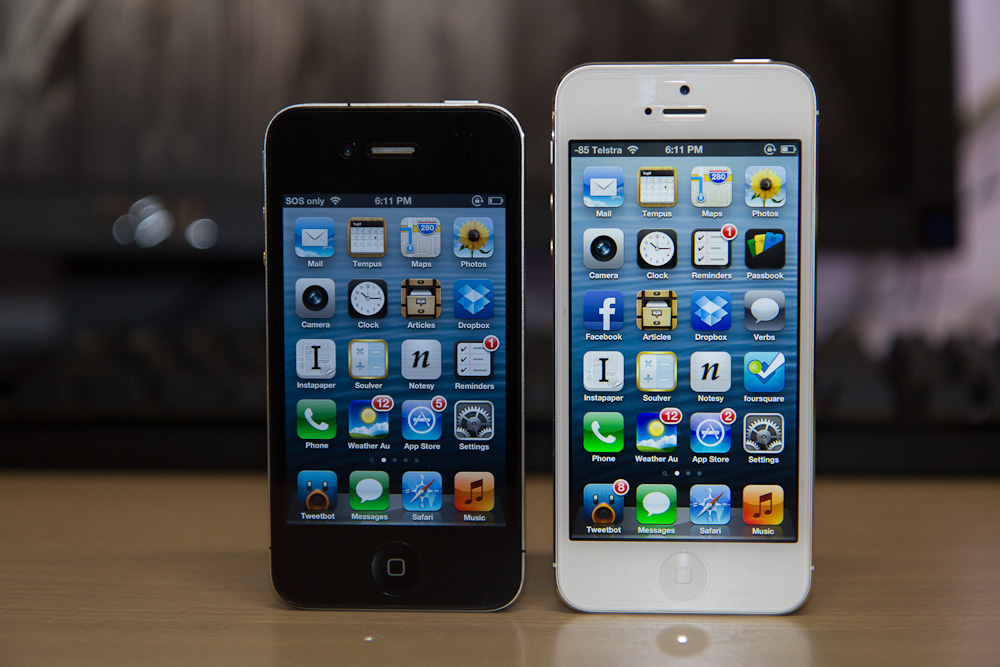
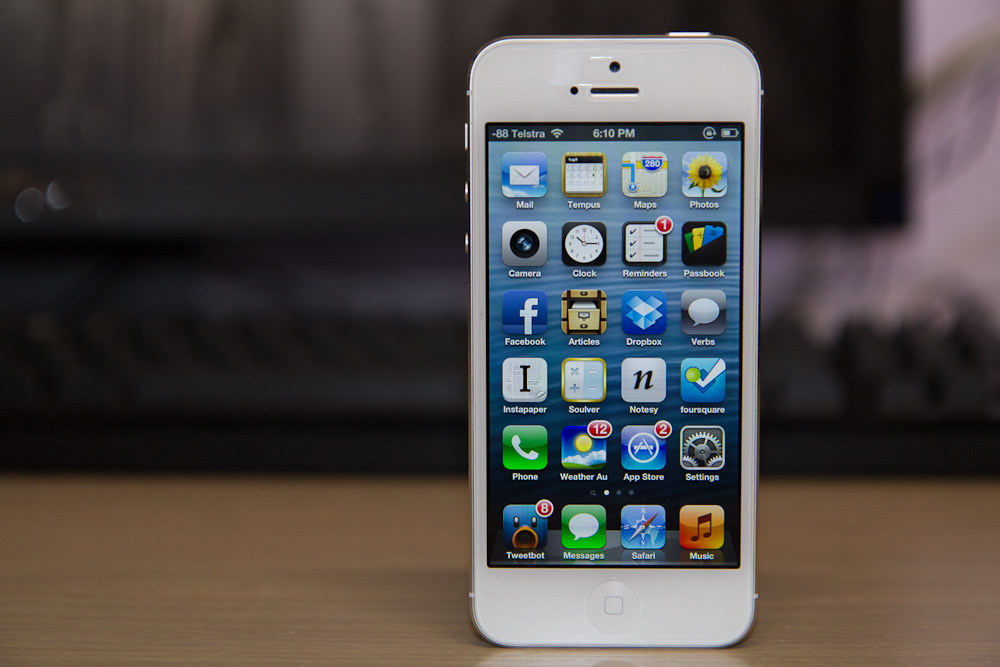
It’s apps like Tweebot that keep me on iOS. Apps like Instapaper. Elements. Verbs. Articles. See what I mean? I might not use some of these apps every single day, but the very fact that they’re on my device, ready for whenever and wherever my fingers need them to go, that’s what matters the most.

As much as the overall platform matters to the “bigger picture” — it’s about the apps, man. If there aren’t any really good apps in your App Store, Marketplace, or App Catalog — you better hope your web browser and email client is up to scratch.

Breakfast, Lunch, and Dinner With Android

There’s this little blog called My Dinner With Android that received some media attention a few months or so ago, and it attempts to detail one iOS user’s journey with the Nexus S. This post is where I will attempt to do the same, with a few exceptions: his previous smartphone is an iPhone 3GS, my previous smartphone is an iPhone 4. He is from the US, I am from Australia. Everything else is fairly similar. For the sake of your sanity and length, this will be yet another two-parter — the first part, this part, will focus more on Android as something to live with every day, with a few comparisons to iOS and WP7 along the way. The second, more ranty part, will probably be about how much I hate Android and all of its crazy user interaction methods — either that, or a few more details on things I’ve said here, as well as more critical look at Android as a smartphone platform and an Apple iOS competitor.

Yes, I’ve done it again. Changed smartphone platforms, at least temporarily. After my experiments with WP7 I figured I had to give Android another go, a more serious one this time. Like I said, Android is my poison of choice this time around, and the Nexus S is the chalice from which I drink. I realised my previous attempt at Android was little more than a ranting tirade about everything that was wrong about the platform, so this time around I’m going to take a more objective view.

First, the hardware. So, what is the Nexus S like? It’s alright. Not fantastic like the aluminium-and-glass of the iPhone 4, but still alright. Plastic feels somewhat cheap, but overall the whole kit is passable. The most defining feature of the Nexus S is that the front glass is curved – people have said that the inwardly-curved front glass fits better against the face when you’re on a call, and it does. Oh, and the screen is a little larger than what I’m normally used to, which, when combined with the hardware navigation keys (back, menu, home) means that apps have a little more breathing room.

Read More

Dell SP2309W — 2048×1152 what now?

I spose the iphone4 would be a good subjective test of screen tech like this – Cramming relatively big res into tiny screens.

Er, no, no it wouldn’t.

Back story: there’s a pretty nice screen on that Dell makes. It’s the SP2309W, and for $279 you get a 23″ TFT Dell monitor that does 2048×1152, higher than high definition (but still at a ratio of 16:9).

I pointed out this monitor to a couple of my friends, and one made the comment you see above (along with something about a weird resolution for a computer monitor).

Before I continue I’d like to point out that most of this is a re-hash (albeit a pretty poor one) of Dustin Curtis’ thoughts on the issue — I’d suggest you go read his blog first, and then come back here when you’re done.

And that’s exactly where he’s wrong. It’s not like the iPhone 4, because while the iPhone 4 crams a relatively big res into a smallish screen, it does so in a way that doesn’t affect the size of on-screen elements.

Traditionally, what happens is that as pixel density gets higher, user interface elements get smaller. It’s got something to do with how large any specific UI element actually is, and how text has been traditionally rendered.

Over at his blog, Dustin explains:

This means that if you draw the letter “a” in 12pt Helvetica on any screen, it will take up exactly 8×9 pixels (almost all the time). As you increase the number of pixels on the whole display, the number of pixels that it takes to draw the letter “a” in 12pt Helvetica stays the same, the letter just becomes smaller.

More pixels crammed into a smaller space (that is, a higher pixel density), results in things becoming smaller. If you think about it, it makes sense — say you’ve got an image that’s 512×512, the size of an typical Mac OSX application icon. If your screen displays that at, say, 100ppi, it’ll appear to have certain dimensions on the screen if you chose to measure it with a ruler. Measure that same icon on a 130ppi screen, and it’ll appear smaller. Not because it’s lost any pixels, but because those same pixels have been jammed into a smaller space.

Then you hit the iPhone 4. It’s not quite resolution independence*, but what Apple have done works pretty well. Instead of using the same graphics resources as the iPhone 2G/3G/3GS, developers are encouraged to develop “retina-optimised” graphics — that is, graphics at double the resolution of their previous-generation iPhone counterparts. Why? Because such graphics will increase interface definition.

If you take that same icon that we had in above example, and instead of just scaling it up or down to suit different resolutions, what you can actually do is create a whole new version of that icon so that it displays at the same physical size — regardless of which screen you display it on. Obviously the icon will look vastly improved on a higher resolution display compared to the lower resolution one, but that’s only because we’re increasing image density alongside pixel density.

Dustin, again, sums it up best:

This means that when iOS scales the elements in physical size to fit the 3.5-inch iPhone 4 screen, they take up the same amount of space as the elements drawn on the iPhone 3GS but they use four times the number of pixels.

Four times the number of pixels, represented in the same physical space = incredible user interface definition.

If that’s not mind-blowingly awesome, I’m not sure what is.

The whole “retina display” mentality of the iPhone is not about representing more things in the same space —  it’s about showing the same stuff, just at a better quality. Contrast this to the display above — because whatever you use on that display (Windows, or Mac) isn’t resolution independent (Mac OSX is to a degree), things will appear smaller, and that’s just how the cookie crumbles.

* okay, it’s not resolution independence at all. Without getting too technical, Apple are actually using two sets of graphics resources for everything — apparently they found that ahead-of-time resolution independence offered the greatest performance/resource benefit. More reading available here on the matter (thanks, Bjango!).

[HOW TO] Calibrate Desire Battery – xda-developers

The following steps should significantly extend the battery life on your phone.

1. Please connect the phone to the charger with the phone powered on, and allow the phone to charge until the notification LED is green, indicating the device is fully charged.
2. Disconnect the phone from the charger, and power it off.
3. Reconnect the phone to the charger with the phone powered off, and allow the phone to charge until the notification LED is green.
4. Disconnect the phone from the charger and power it on.
5. Once the phone is powered completely on, power it off again and reconnect it to the charger until the notification LED is green.
6. Disconnect the phone, power it on, and use it.

You need to use this sequence only once.

via [HOW TO] Calibrate Desire Battery – xda-developers.

Asteroid Discovery From 1980 – 2010

View of the solar system showing the locations of all the asteroids starting in 1980, as asteroids are discovered they are added to the map and highlighted white so you can pick out the new ones.

The final colour of an asteroids indicates how closely it comes to the inner solar system:

Earth Crossers are Red
Earth Approachers (Perihelion less than 1.3AU) are Yellow
All Others are Green

via YouTube – Asteroid Discovery From 1980 – 2010.